


Unmatched Apple Silicon Speed, macOS Ecosystem, iCloud Integration, and Full 2026 Model Buying Guide
When it comes to personal and professional computing, Apple Macs have set an entirely new standard for speed, energy efficiency, hardware longevity, and user satisfaction.
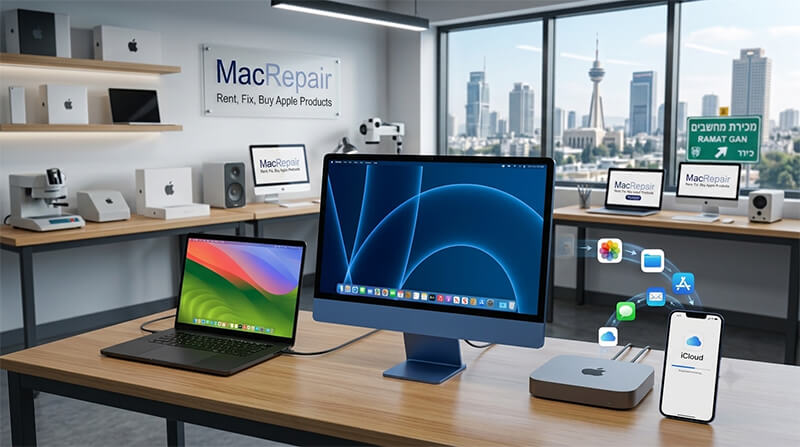
With the complete evolution of Apple Silicon architecture (M3 and M4 chip families), Mac desktop and laptop computers easily outperform traditional Windows PCs from brands like Dell, HP, or Lenovo. At Mac Repair, led by Hagy Levy in Ramat Gan, we assist customers daily in selecting, upgrading, and maintaining their Apple computers.
Here is everything you need to know about why making the switch to Mac in 2026 is the smartest decision for your home or business.
💬 Need advice on buying or setting up your new Mac?
🚀 Key Advantages of Apple Computers in 2026
- Revolutionary Apple Silicon (M-Series): Apple’s Unified Memory Architecture (UMA) integrates CPU, GPU, Neural Engine, and RAM onto a single chip. Result: instant wake times, zero fan noise in MacBooks, and extreme battery life lasting up to 18–22 hours of continuous use!
- Unrivaled Build & Display Quality: Machined 100% recycled aluminum unibody enclosures paired with color-accurate Retina, Liquid Retina XDR, and ProMotion (120Hz) displays deliver true professional visuals.
- Ironclad Security & Stability: macOS runs on a Unix kernel with sandboxed security, Hardware Secure Enclave, and System Volume Protection. System crashes are virtually nonexistent, and traditional PC malware cannot affect core system files.
- Higher Resale & Longevity: While average Windows laptops lose 60% of their value in 2 years, Apple computers retain high trade-in value and stay smooth and performant for 6 to 8+ years.
🍏 macOS Operating System Features: iCloud, Photos & Backups
The true magic of owning a Mac lies in macOS and its effortless ecosystem integration across iPhone, iPad, Apple Watch, and Mac hardware.
1. Seamless iCloud Synchronization
With iCloud Drive enabled, your Desktop and Documents folders automatically mirror across all your devices. Start typing a document or note on your iPhone during your commute, and open it instantly on your MacBook when you arrive at your office desk without manually saving or emailing files.
2. Apple Photos Library & Smart Management
Apple Photos uses on-device Machine Learning to organize your photos by faces, places, objects, and events. Any photo shot on your iPhone immediately renders in full resolution on your Mac’s wide P3 color display. Editing tools on macOS allow professional color correction, RAW file handling, and instant background removal.
3. Continuous Ecosystem Tools (Continuity & AirDrop)
- iPhone Mirroring: View and control your iPhone directly on your Mac desktop screen.
- Universal Clipboard: Copy text or images on your phone and paste them directly on your Mac!
- AirDrop: Transfer gigabytes of video or photos in seconds wirelessly with zero compression.
- Continuity Camera: Use your iPhone’s camera as a studio-grade wireless webcam for Mac Zoom and Teams calls.
4. Stress-Free Automated Backups: Time Machine
macOS includes Time Machine, an automated system backup utility. Simply plug in an external drive or connect to a network storage drive, and Time Machine continuously snapshots your files, system state, and settings. If your computer is lost, damaged, or replaced, plugging the backup into a new Mac restores your entire digital life in minutes!
💻 Need Windows Applications? Virtualization in 2026
While older Intel Macs used BootCamp for dual-booting, modern Apple Silicon Macs run Windows 11 ARM effortlessly inside macOS using Parallels Desktop or UTM:
Parallels Desktop 2026: Runs Windows 11 in a virtual window alongside macOS without restarting your Mac! Windows software like AutoCAD, specialized accounting tools, and trade software run seamlessly at full hardware speed using Apple Silicon hardware acceleration.
🛒 Complete 2026 Apple Mac Models & Price Comparison
Here is the complete overview of current Apple Silicon Mac models sold in 2026, including their base specifications, recommended target users, and estimated retail prices in Israel (NIS / USD):
| Model & Display | Base Processor & RAM | Target Usage | Est. Price (Israel / USD) |
|---|---|---|---|
| MacBook Air 13″ / 15″ | Apple M3 / M4 (10-Core CPU, 16GB RAM, 256GB/512GB SSD) | Students, Travelers, Office Work, Content Creators | ₪ 4,490 – ₪ 6,800 ($1,099 – $1,499) |
| MacBook Pro 14″ / 16″ | M4 / M4 Pro / M4 Max (Up to 128GB Unified Memory) | Software Engineers, 4K/8K Video Editors, 3D Artists | ₪ 7,200 – ₪ 16,500+ ($1,599 – $3,499+) |
| iMac 24″ Retina 4.5K | M3 / M4 Chip, 16GB Unified RAM, All-in-One Color Chassis | Home Desktops, Reception Desks, Graphic Designers | ₪ 5,800 – ₪ 8,400 ($1,299 – $1,799) |
| Mac mini (Compact) | M4 / M4 Pro (16GB–24GB RAM standard, ultra-small size) | Best Value Desktop, Home Studios, Office Workstations | ₪ 2,690 – ₪ 5,900 ($599 – $1,299) |
| Mac Studio | M2 Max / M3 Ultra / M4 Max (Up to 192GB Unified RAM) | Audio Studios, CGI Animation, Heavy Machine Learning | ₪ 8,900 – ₪ 18,900 ($1,999 – $3,999) |
| Mac Pro Workstation | M3/M4 Ultra Chip, PCIe Gen4 Expansion Slots | Broadcast TV Studios, Enterprise Audio/Video Racks | ₪ 29,000+ ($6,999+) |
Looking to Buy, Migrate, or Repair an Apple Mac in Israel?
Contact Mac Repair in Ramat Gan for personalized advice from Hagy Levi!
📞 Phone / Direct Line: 050-7192019 (Hagy)
💬 WhatsApp Chat: Send Hagy a WhatsApp Message
✉️ Email: [email protected]
📍 Lab Location: 129 Chazon Ish St., Ramat Gan, Israel
🕒 Working Hours:
Sun – Thu: 09:00 – 19:00
Friday: 09:00 – 13:30